> ## Documentation Index
> Fetch the complete documentation index at: https://cobo-docs-feature-cobo-cli.mintlify.site/llms.txt
> Use this file to discover all available pages before exploring further.
# Wallet as a Service
This content applies to WaaS 1.0 only. We highly recommend that you upgrade to [WaaS 2.0](https://www.cobo.com/developers/v2/guides/overview/introduction).
Cobo Custody offers HTTP based SaaS APIs to allow users to access their crypto assets
or interact with blockchain applications on over 80 blockchains. The goal is to
make it easy for developers to build various kinds of blockchain applications,
such as cryptocurrency exchanges, token funds, payment platforms, asset-backed
lending platforms, DApps, mining pools, clould mining platforms and other
projects, by offloading the heavy-lift security and blockchain interaction
issues to Cobo's battle tested bank-grade technologies.
Developers may also store their digital assets with Cobo Custody, leveraging
Cobo's world-class omni-custody technologies.
Cobo Custody’s APIs enables a variety of capabilities:
* Generate addresses for bitcoin, ethereum, litecoin and 50 more main
* Manage crypto wallets and addresses
* Send and receive crypto coins or tokens
* View transaction history
* Set up API callbacks for interested events
* Stake in crypto projects
* Interact with DeFi, NFT smart contracts
* etc.
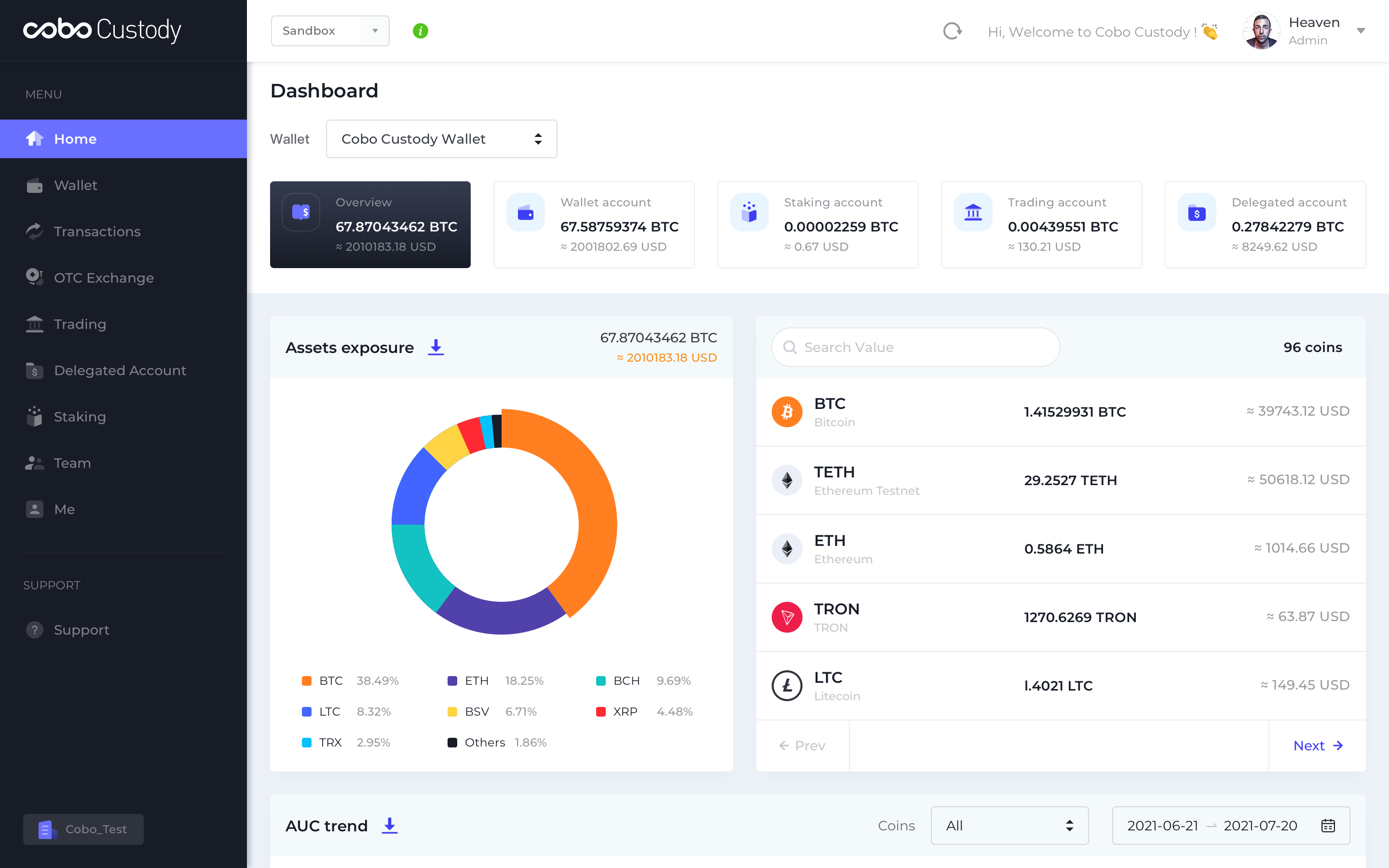
Besides HTTP based SaaS API, Cobo Custody also provides a web-based interface
([https://home.custody.cobo.com/](https://home.custody.cobo.com/)) that
supports customizable risk control policies:
* IP address whitelisting
* Address whitelisting
* Blacklists (supported by third-party institutional data)
* Multi-role approval
* One-touch emergency freeze
* Multi-layer transaction verification
* Transaction speed / amount limits for each token
* Hot,warm & Cold fund separation
* Low balance alerts
The following is a screenshot of the web management interface: