

This content applies to WaaS 1.0 only. We highly recommend that you upgrade to WaaS 2.0.
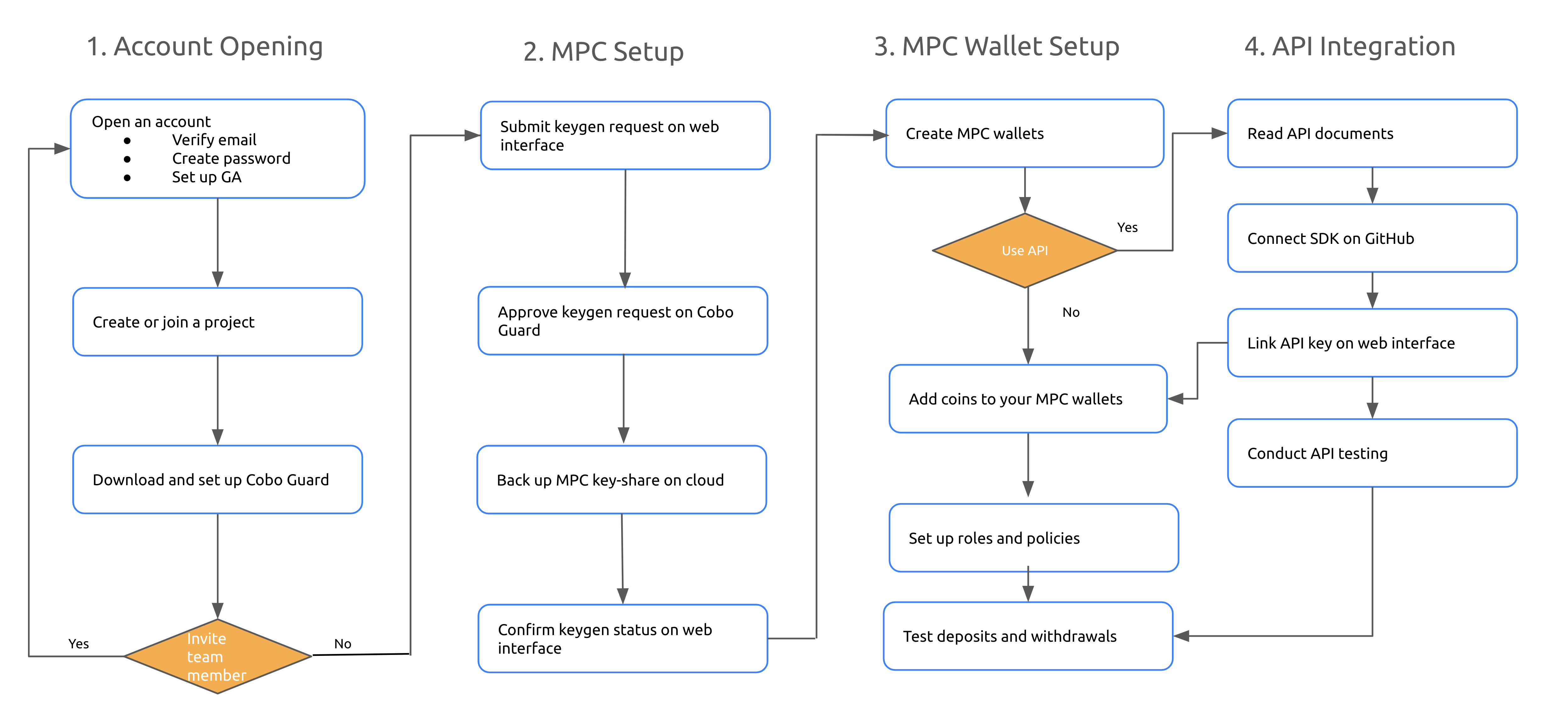
Account Opening
To create an account in the development environment, please head to https://home.develop.cobo.com/#/cobo-lite/register. For a seamless account creation process, please refer to this user guide. To improve security, you will need to download Google Authenticator (GA) on your mobile device. To complete the setup, please use your GA to scan the QR code displayed on the web interface. You are also required to install Cobo Guard, which is a dedicated mobile application that leverages cutting-edge Trusted Execution Environment (TEE) technologies for secure authentication, risk control verification, and MPC-TSS key share management. It provides robust protection for your account, particularly during critical actions such as withdrawals and risk policy adjustments. Currently, Cobo Guard only supports the iOS system. The app is compatible with iPhone 5s and newer models, and the operating system must be iOS 13.0 or later. Prior to installation, kindly make sure that your mobile device meets the aforementioned requirements. For more information on how to set up Cobo Guard for your MPC Lite account, please refer to this user guide.MPC Setup
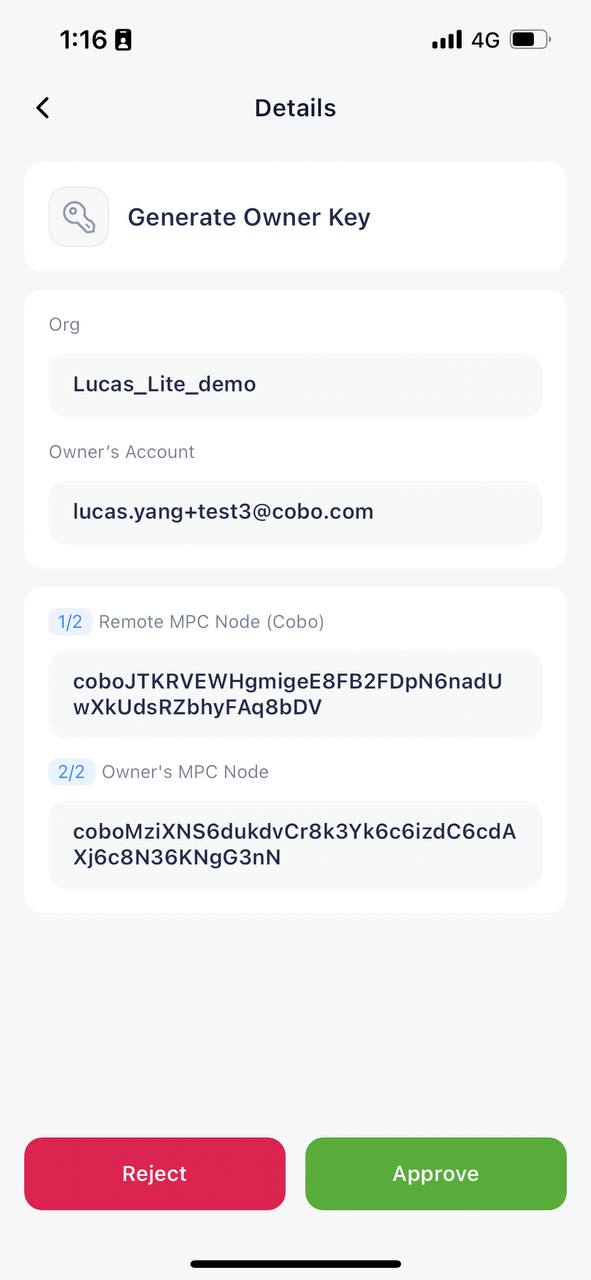
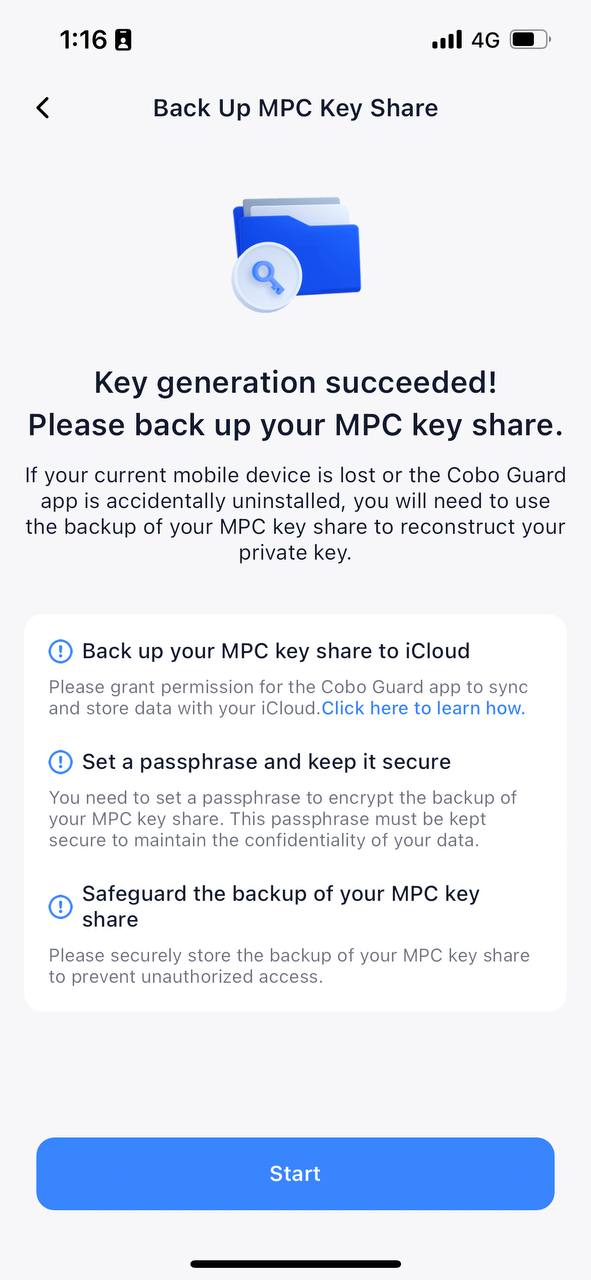
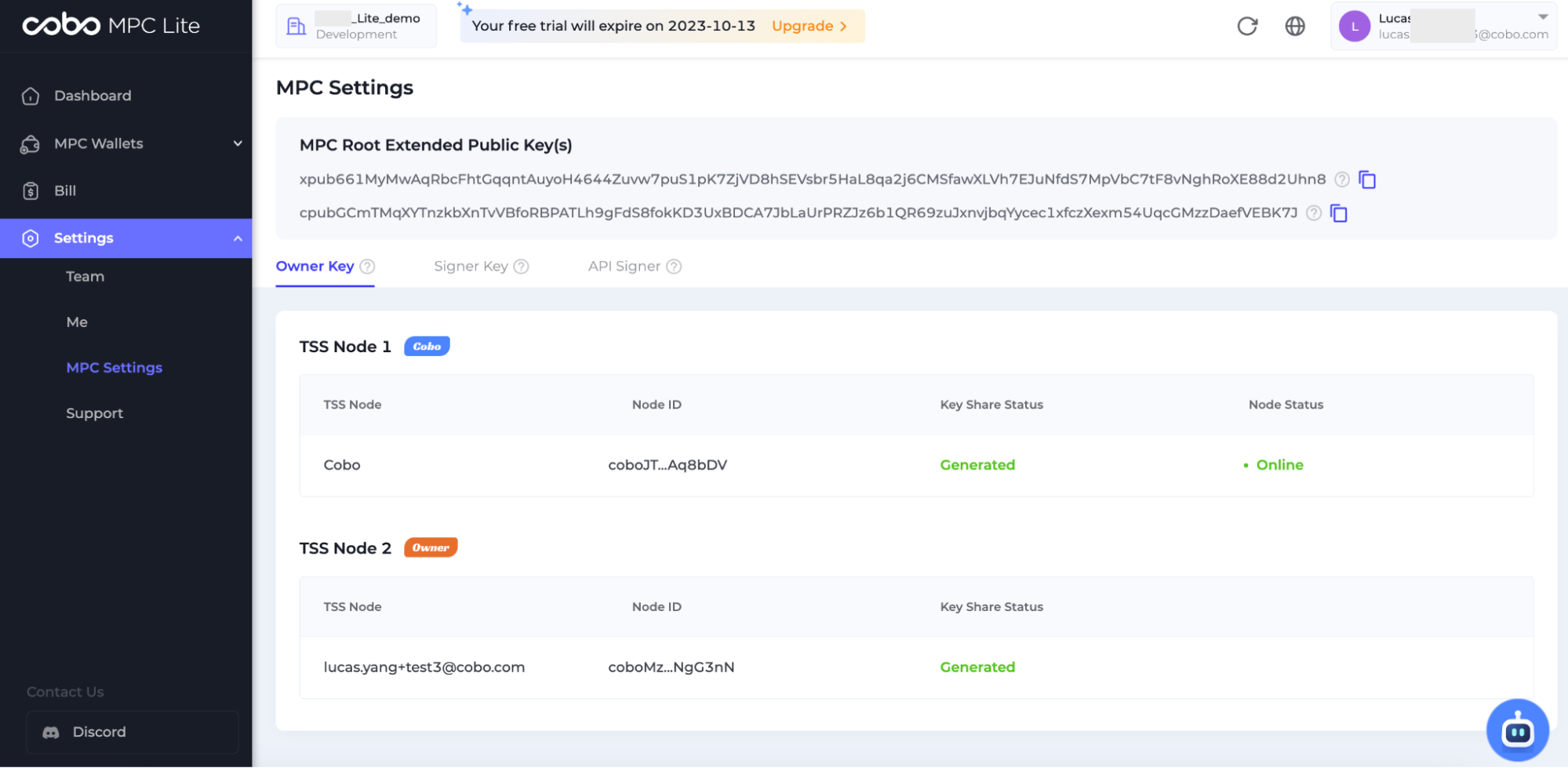
After successfully opening an account, you can navigate to Settings > MPC Settings > Generate Kay to complete your MPC setup. After you click on the “Generate Key” button, a message will be pushed to your Cobo Guard.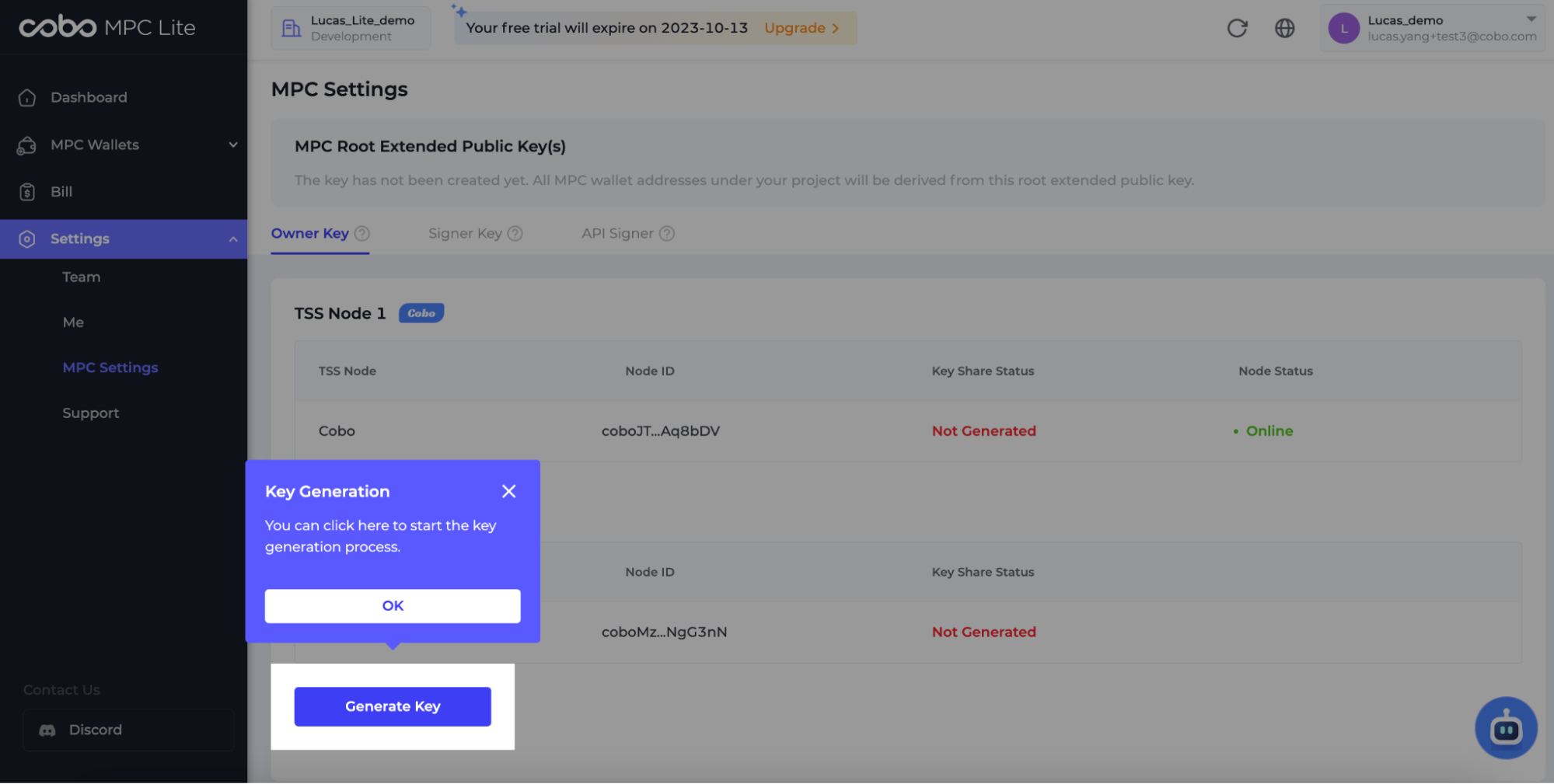 You can approve the key generation request on your Cobo Guard. Then, a 2-2 key generation ceremony will be automatically triggered. One MPC key-share will be generated and stored on your Cobo Guard, while the other MPC key-share will be managed by Cobo.
MPC Wallet Setup
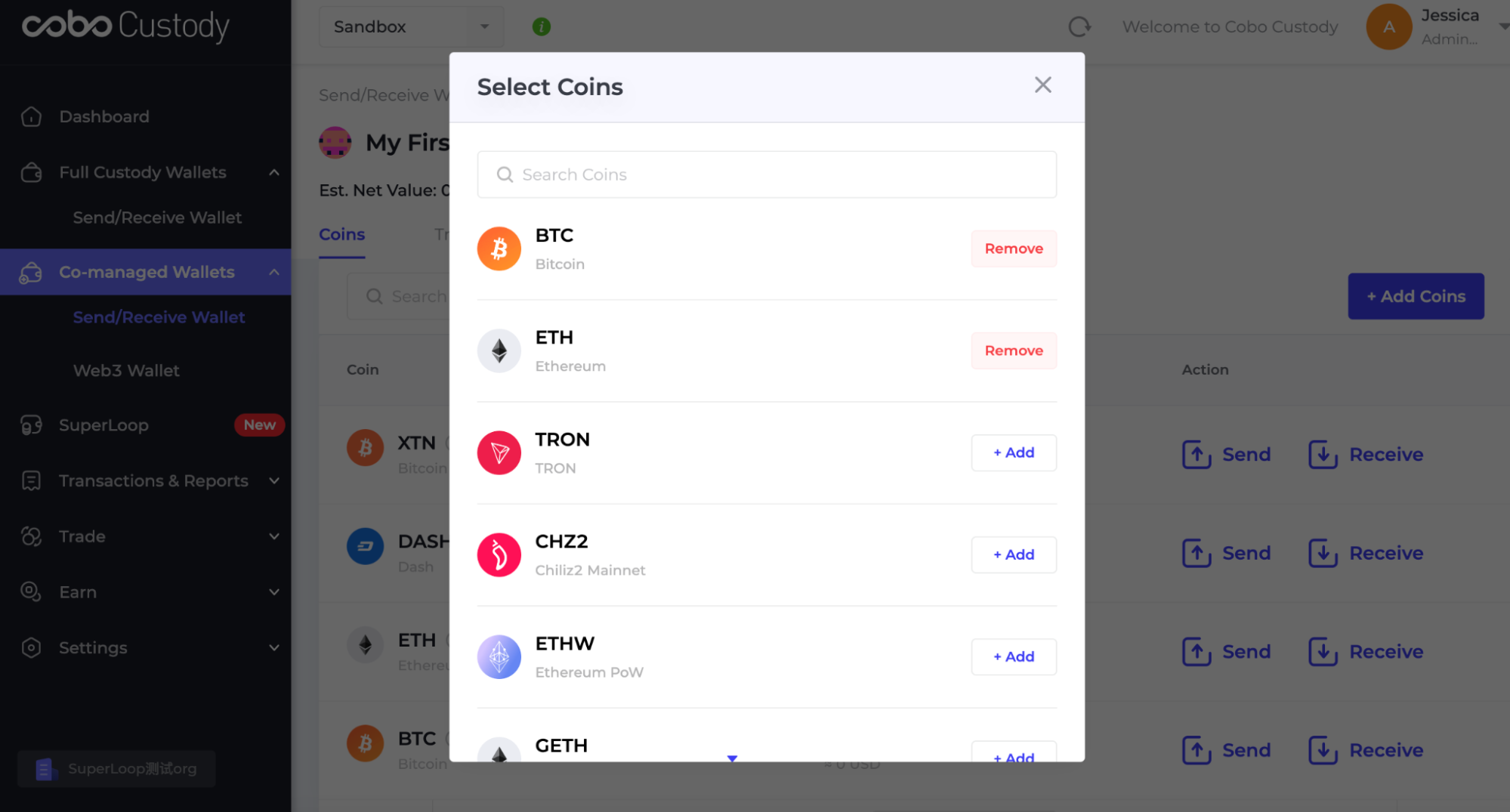
Once the MPC key-shares are successfully generated, you can proceed to create one or multiple types of MPC wallets on the web interface.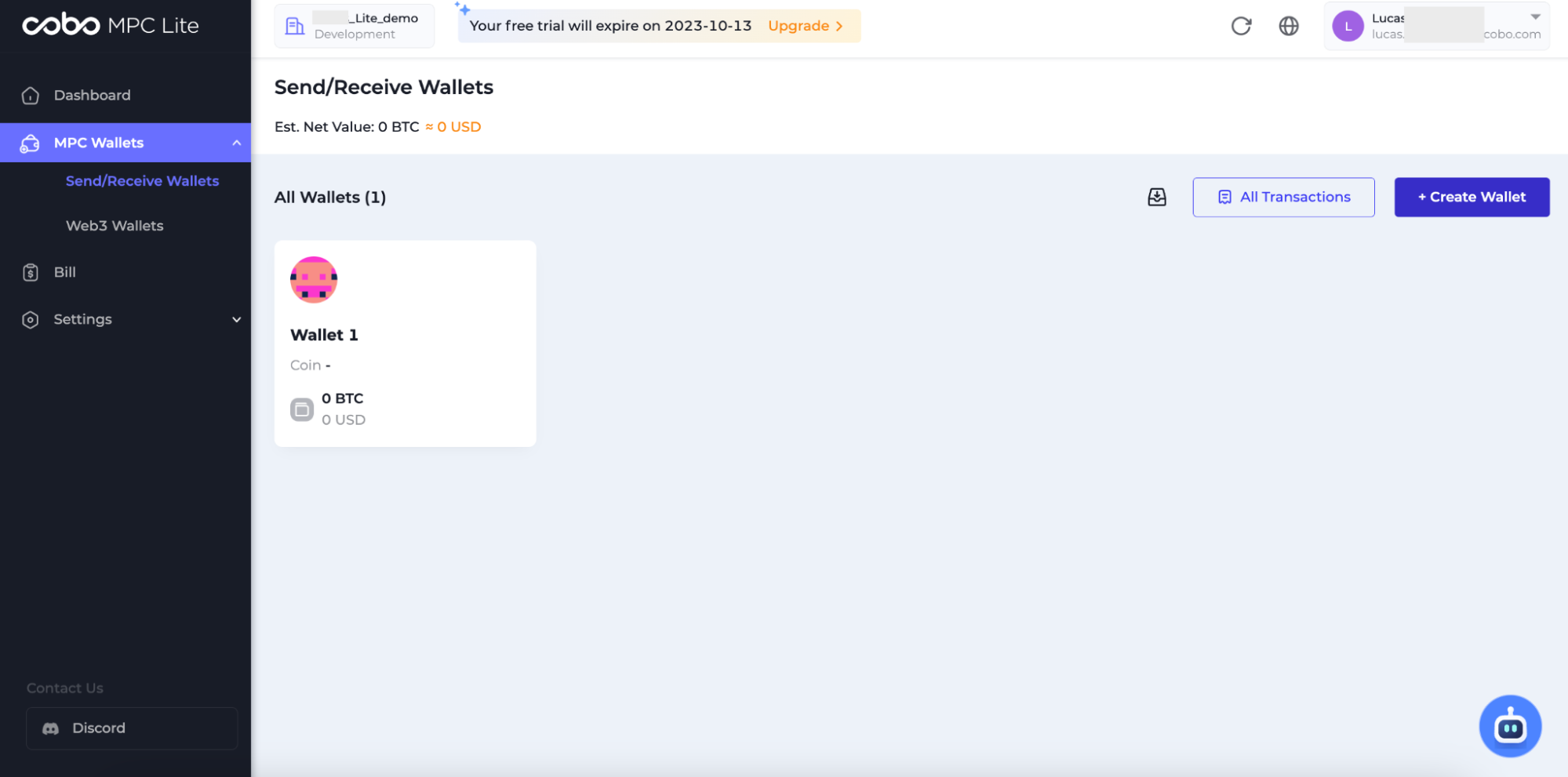 To add coins to MPC wallet, simply click “+Add Coins” and then search for your preferred coin types. Currently, Cobo Custody Web supports four mainnets (BTC, ETH, TRON, XRP) and two testnets (GETH, XTN).
API Integration
If you are using APIs, please first choose an appropriate SDK from Cobo’s GitHub repository. Cobo Custody provides SDKs in five programming languages - Java, PHP, Python, JavaScript and Go.Java
PHP
Python
JavaScript
Go
Python
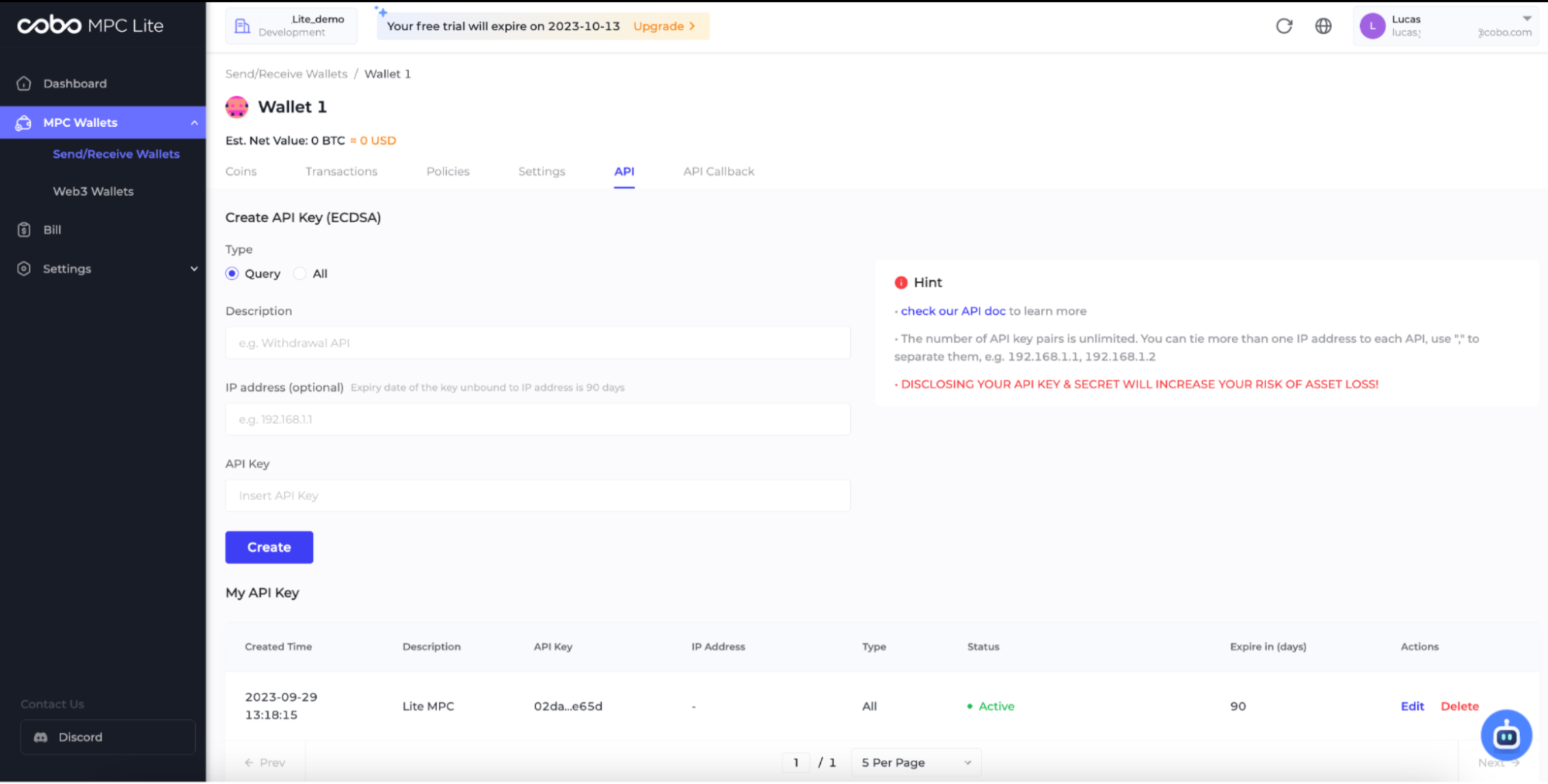
Test API by SDKs
Python
View Response
View Response