

This content applies to WaaS 1.0 only. We highly recommend that you upgrade to WaaS 2.0.
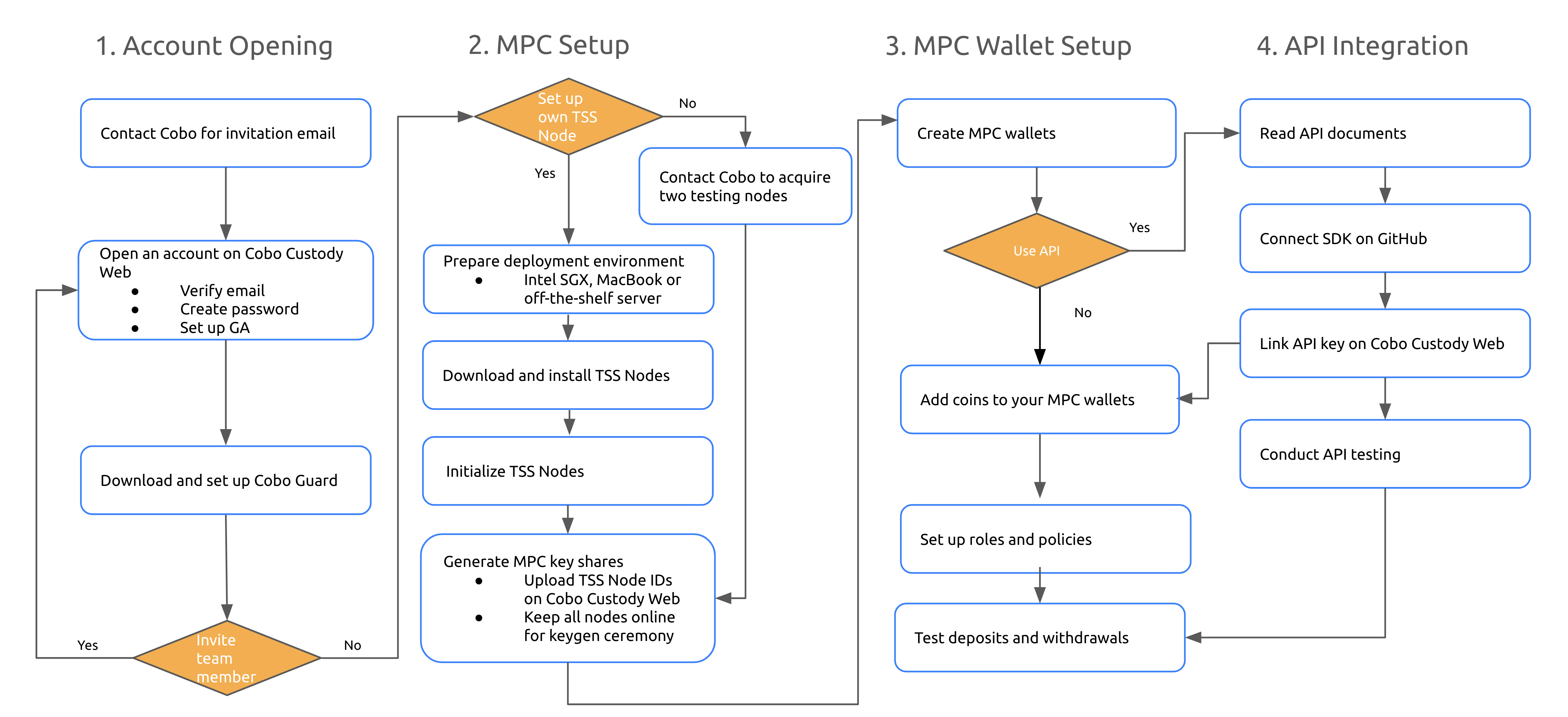
Account Opening
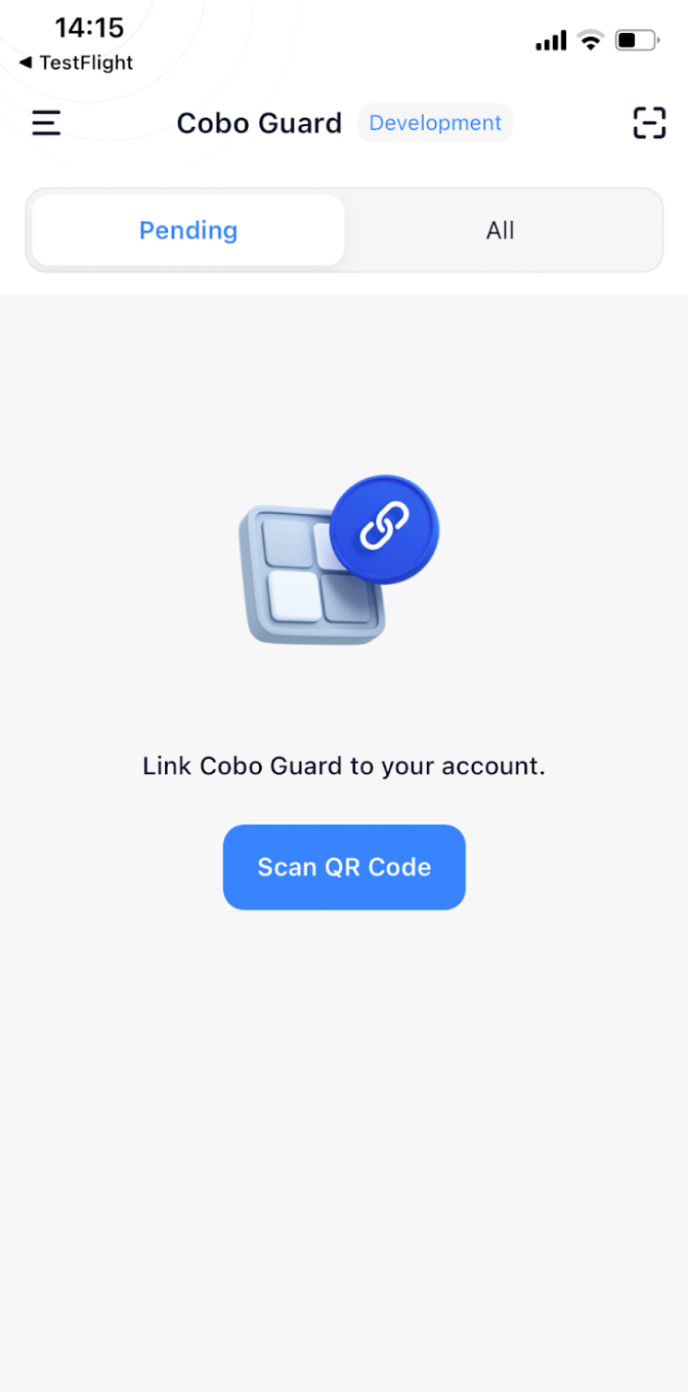
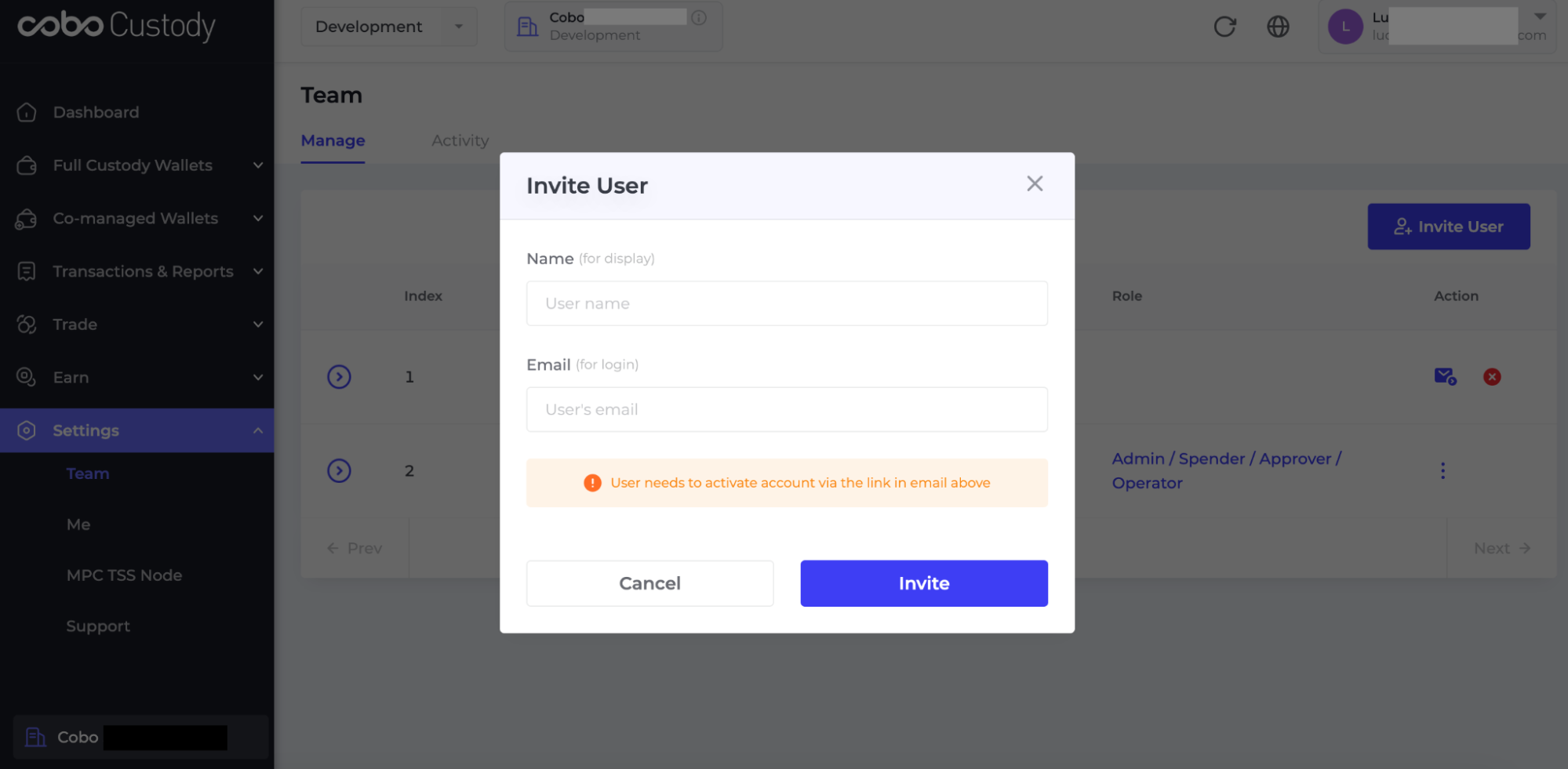
To start using Cobo MPC Co-Managed Custody, you will need to open an account in the development environment by heading to https://home.dev.cobo.com/#/login. Alternatively, you may contact Cobo to request an invitation email. To improve security, you will need to download Google Authenticator (GA) on your mobile device. To complete the setup, please use your GA to scan the QR code displayed on the Cobo Custody Web.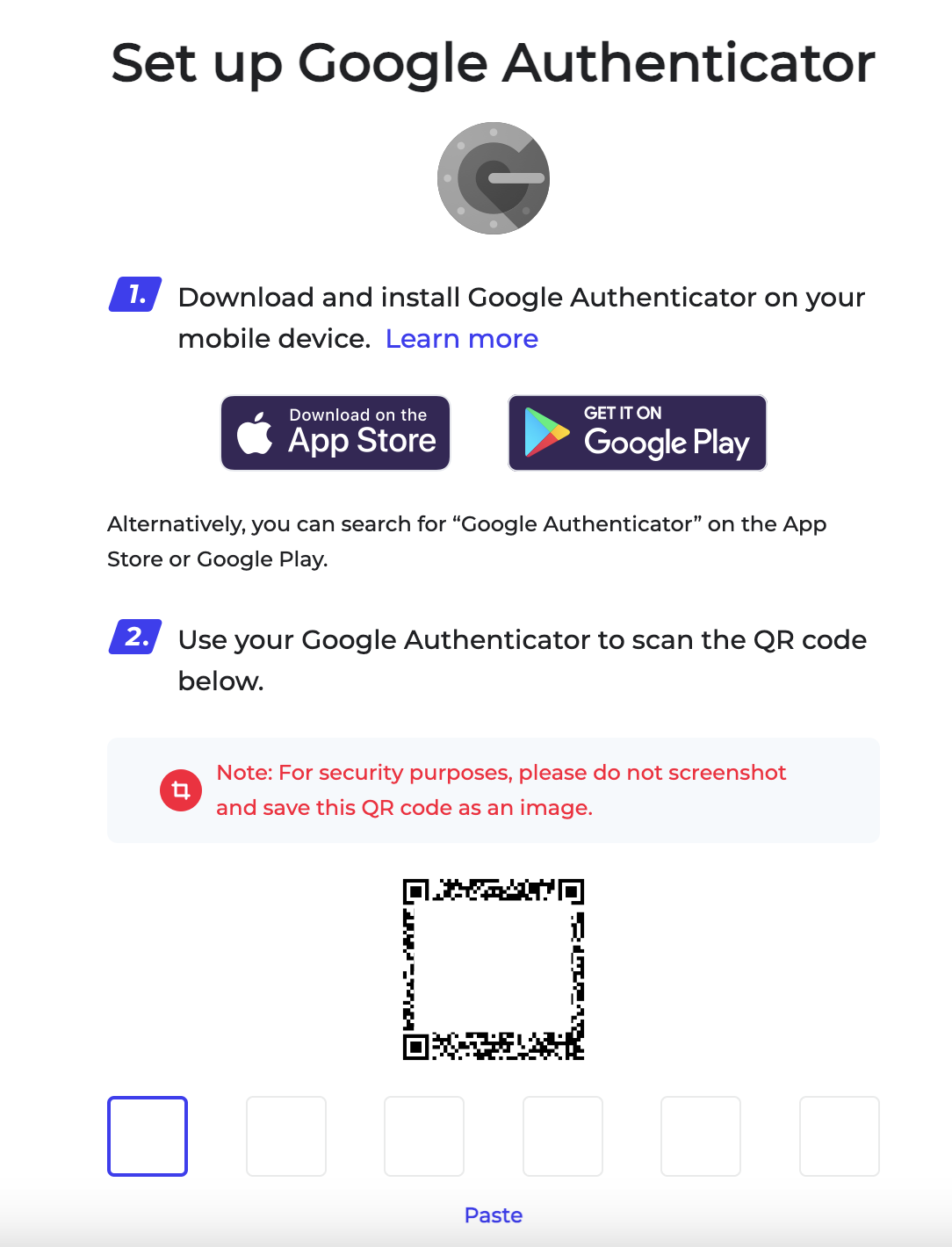
MPC Setup
If you want to set up your own TSS Node, please prepare the testing environment for TSS Node deployment. Alternatively, you can contact Cobo to acquire Cobo-managed testing nodes, which will enable you to bypass the MPC Setup process for your development environment. Currently, you can deploy TSS Nodes on an off-the-shelf server, a server that supports Intel® Software Guard Extensions (Intel® SGX), or an Apple MacBook. Please head to Cobo’s TSS Node Library to download a version of the TSS Node package that fits your server model and deployment method. For user guides on the deployment process, please click here. The following initialization output uses the off-the-shelf server as an example.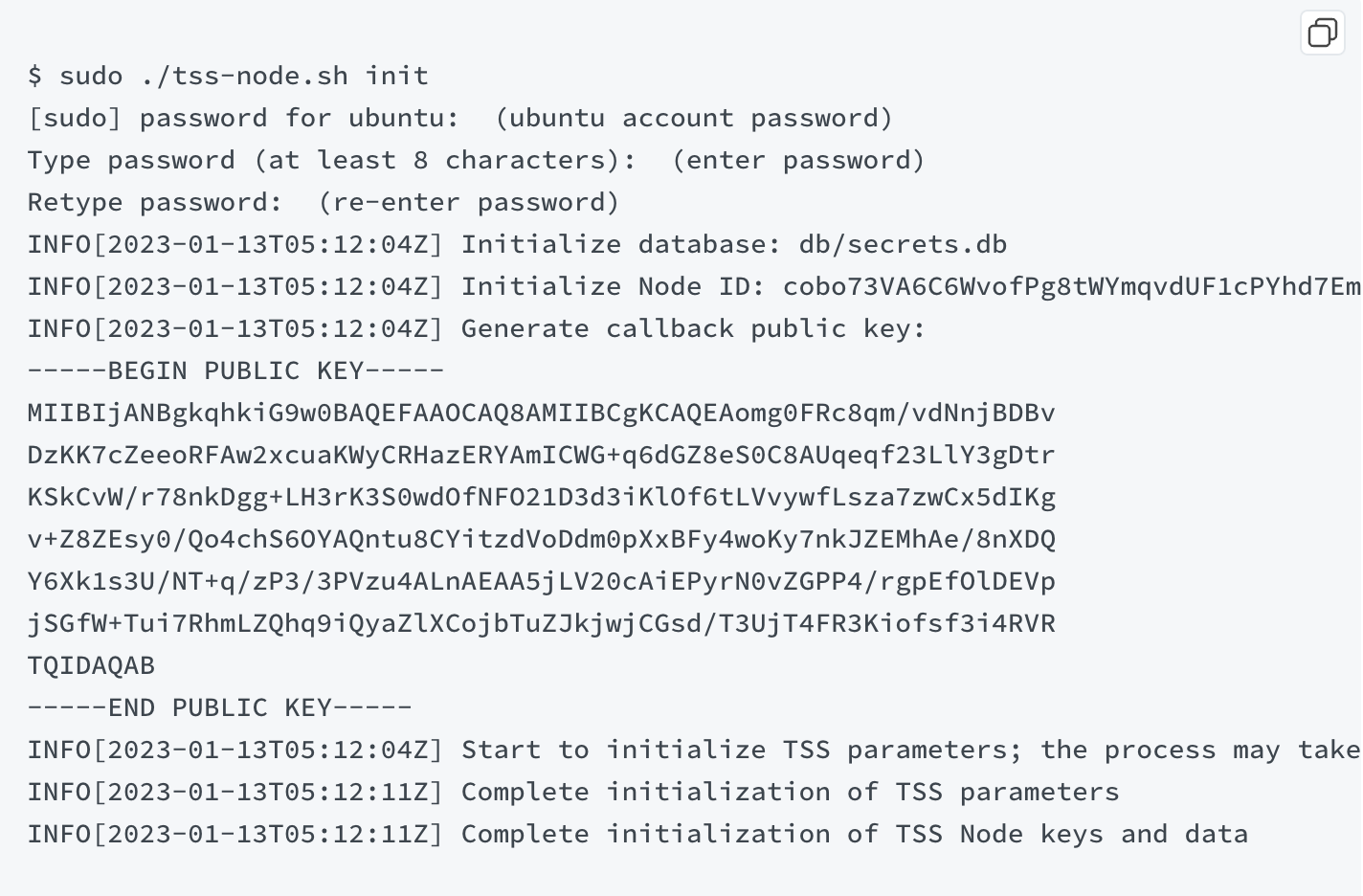 Following the initialization of each TSS Node, a TSS Node ID will be automatically generated. Please manually enter the TSS Node IDs on the Cobo Custody web.
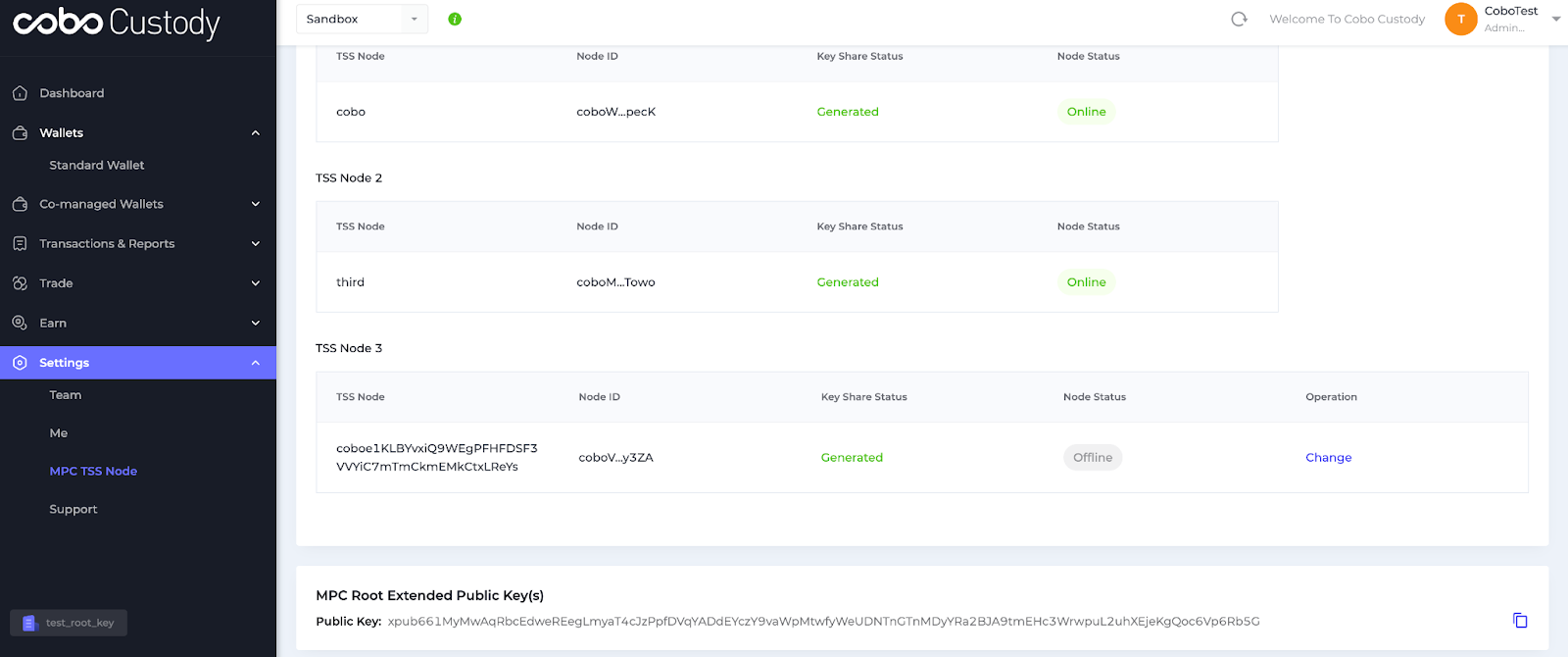
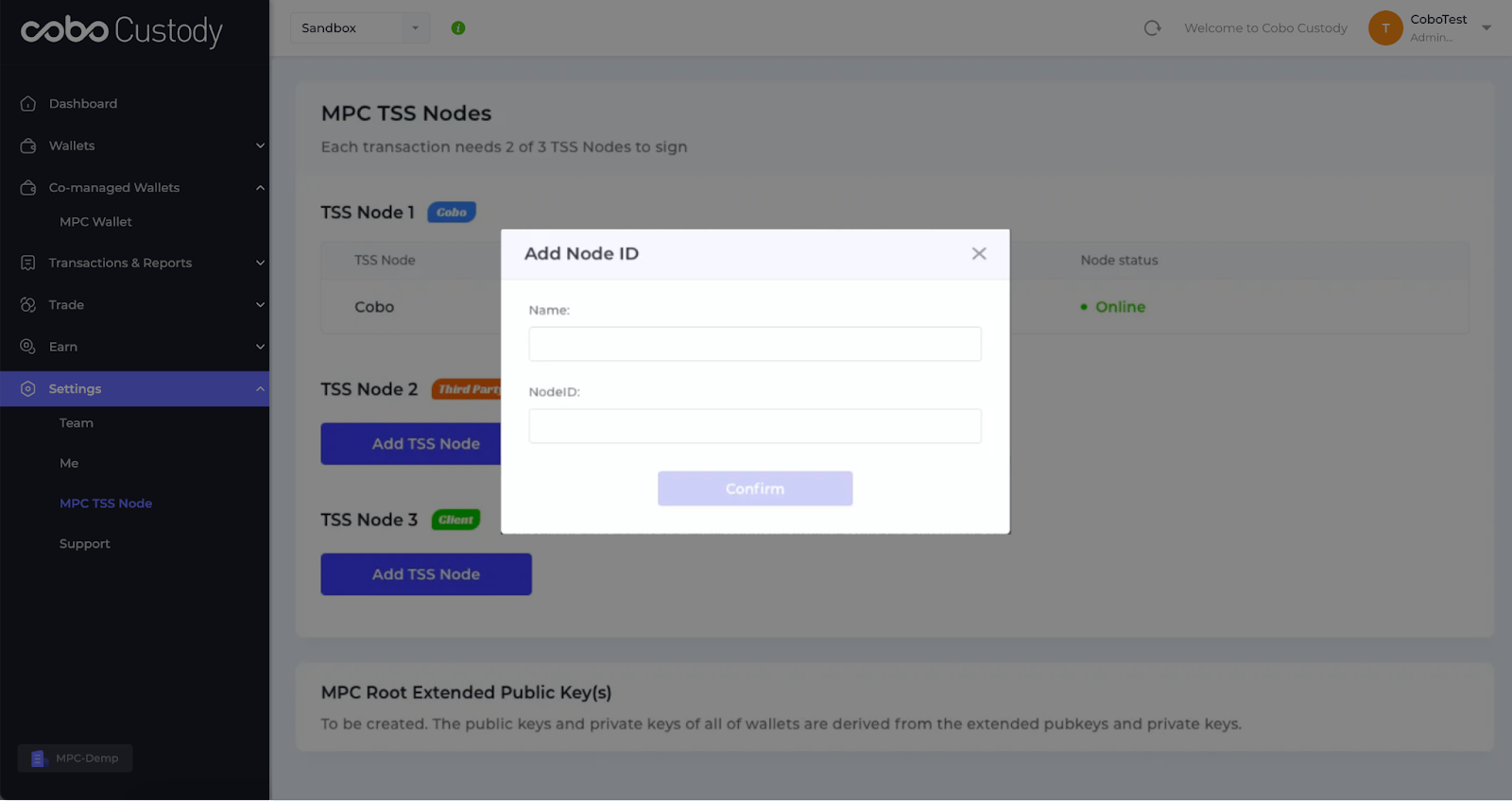 Once all TSS Node IDs have been added on the Cobo Custody Web, the key generation ceremony will automatically start. This process requires all TSS Nodes to be online in order to generate a set of MPC key-shares in an independent manner. The MPC root extended public key will also be created.
MPC Wallet Setup
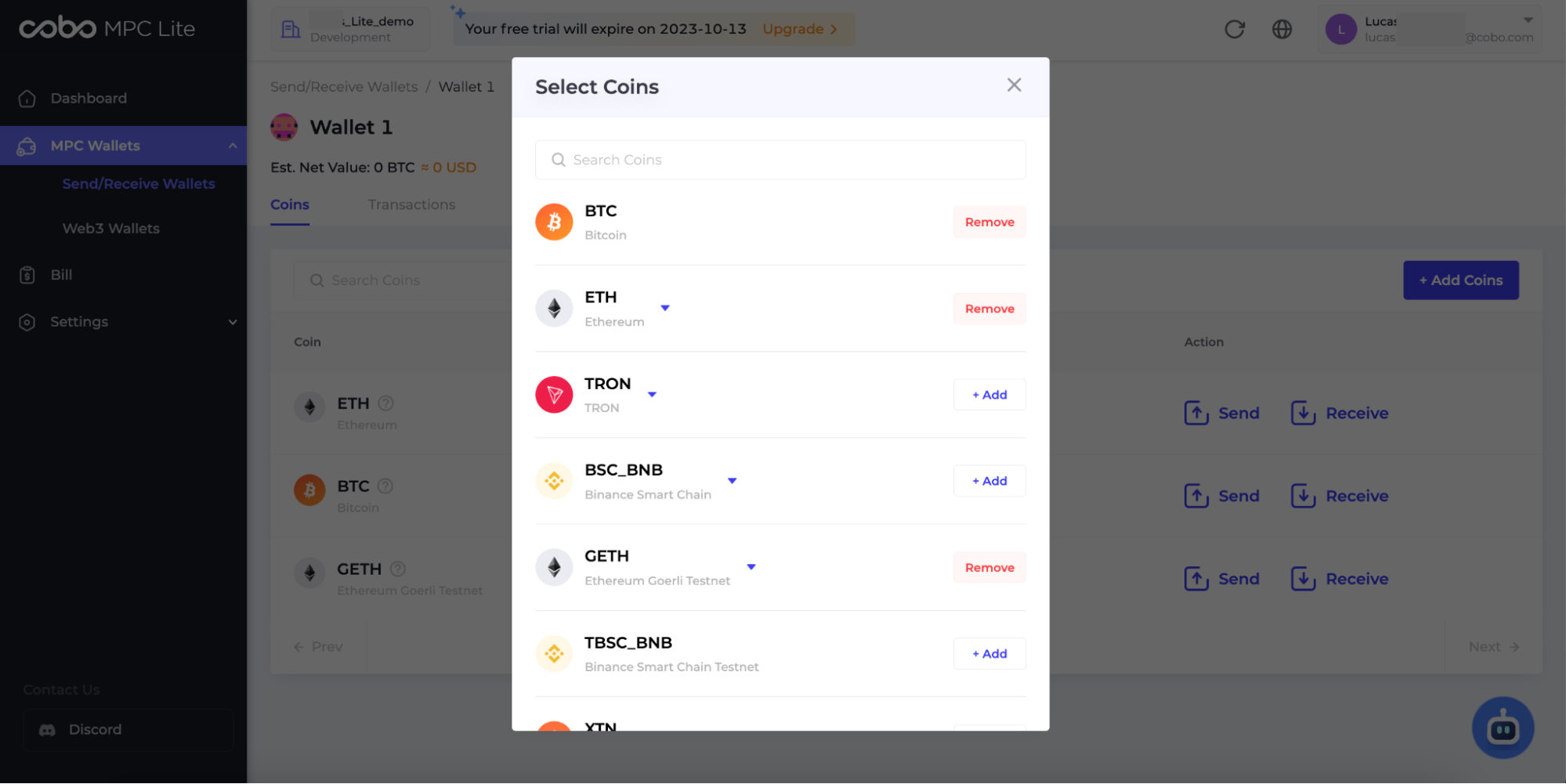
Once the MPC root extended public key is successfully generated, you can proceed to create one or multiple types of MPC wallets on the Cobo Custody Web.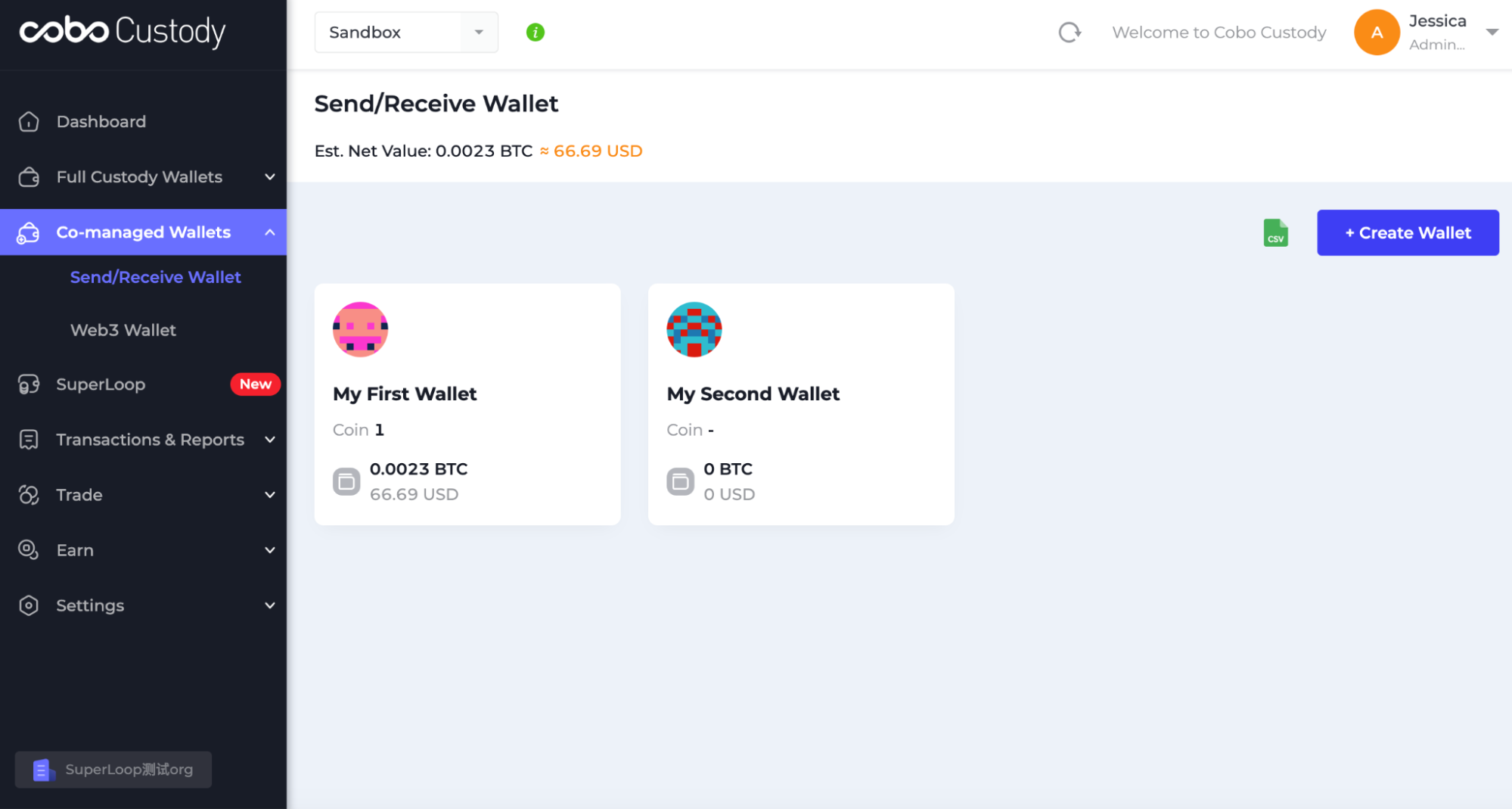 To add coins to MPC wallet, simply click “+Add Coins” and then search for your preferred coin types. Currently, Cobo Custody Web supports four mainnets (BTC, ETH, TRON, XRP) and two testnets (GETH, XTN).
API Integration
If you are using APIs, please first choose an appropriate SDK from Cobo’s GitHub repository. Cobo Custody provides SDKs in five programming languages - Java, PHP, Python, JavaScript and Go.Java
PHP
Python
JavaScript
Go
Python
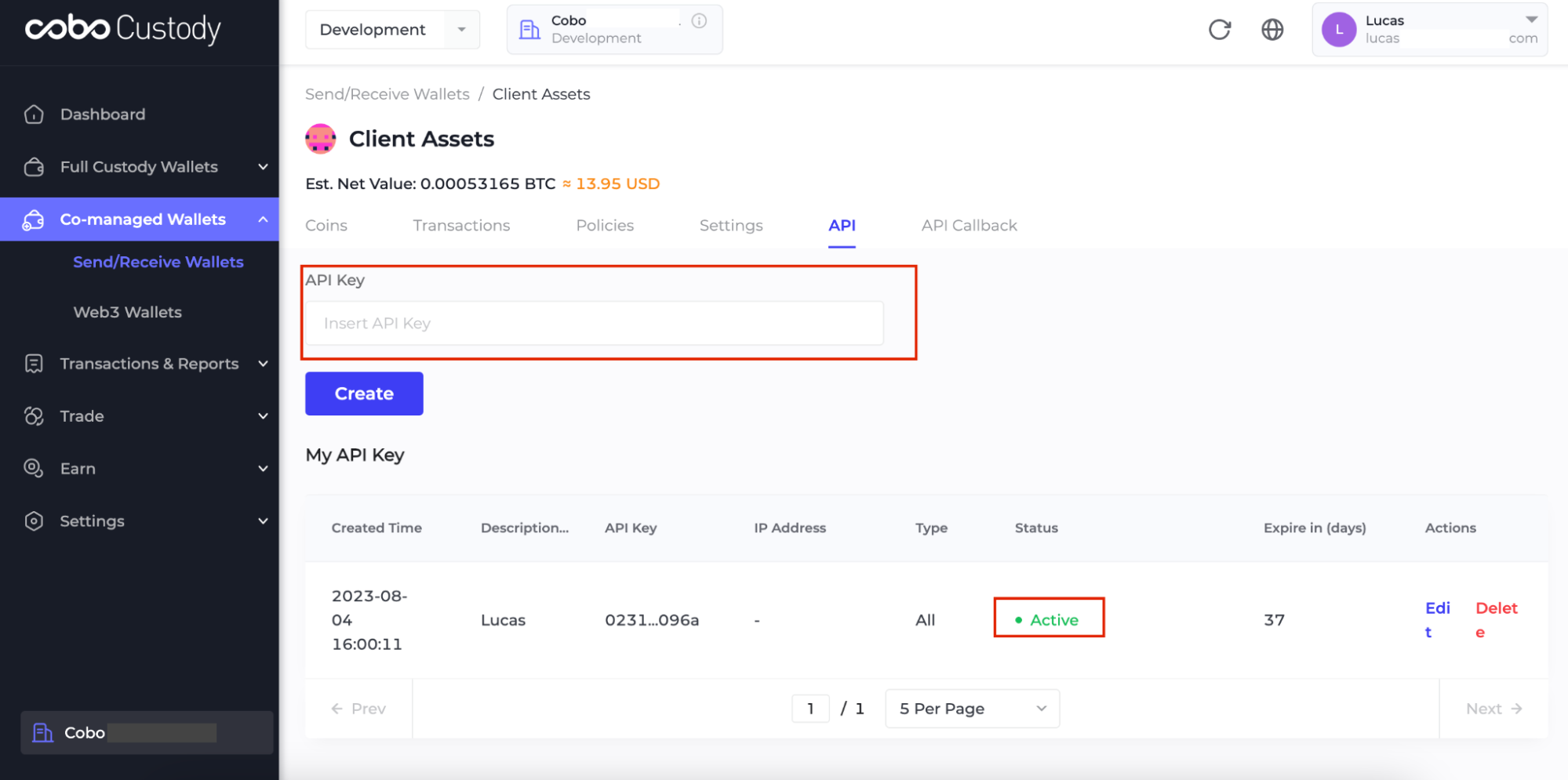
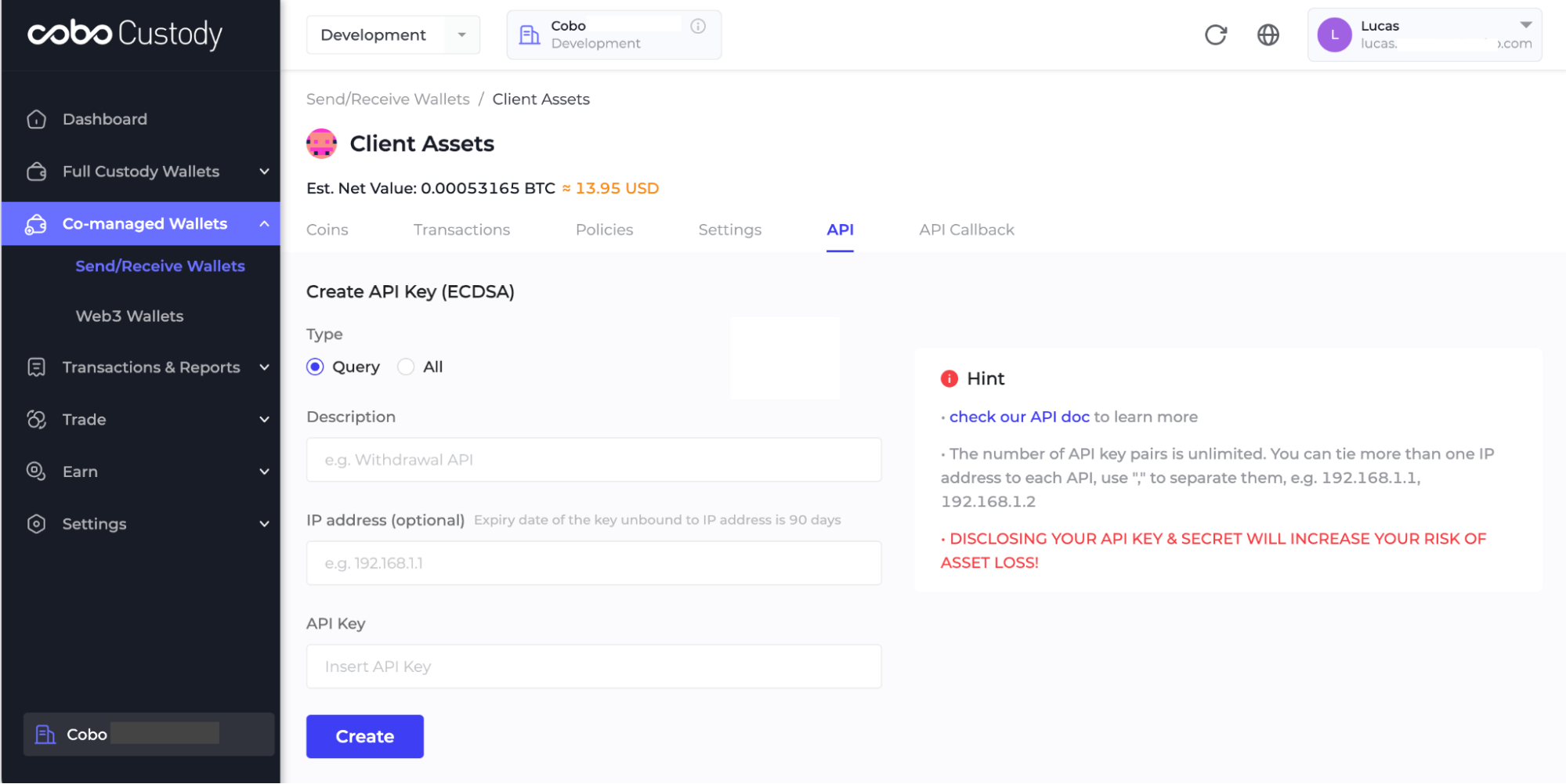 Please manually enter your key into the “API Key” field and ensure that the status of your API key is displayed as “Active”. You can now proceed to use the relevant SDKs to make API calls.
Test API by SDKs
Python
View Response
View Response